Help
eSIM help with pictures
The key steps for iPhone and Android: check that your phone is ready, install the eSIM and connect it in your destination.
The eSIM only connects in your destination. At home it shows no network.
ABefore you buy: is my phone ready?
Does your phone support eSIM?
Dial *#06# in the phone app. If an EID (a long number) appears, your phone can use an eSIM. If no EID appears, your phone most likely does not support eSIM.
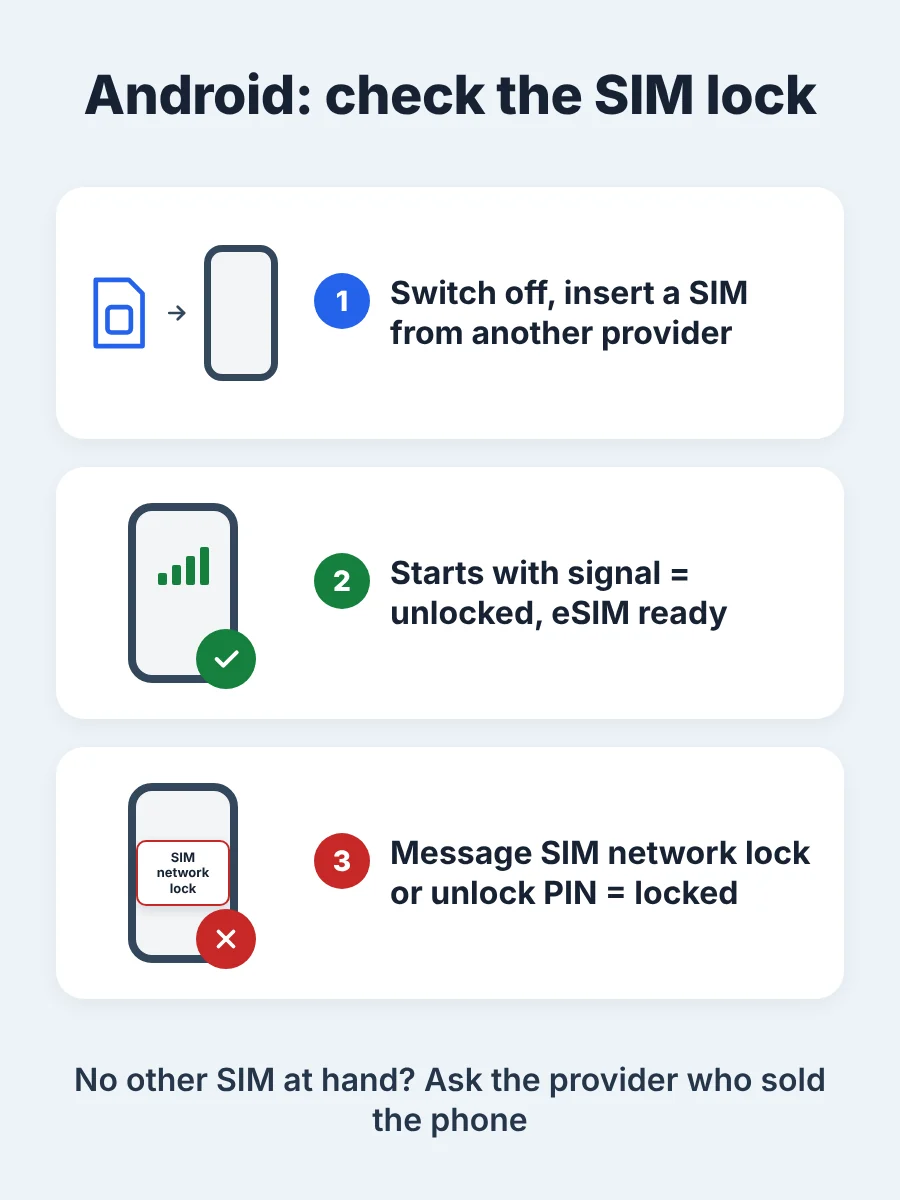
Is your phone free of a SIM lock?
Our eSIM only works on a phone without a SIM lock (carrier lock).
Open Settings > General > About > Carrier Lock. If it says “No SIM restrictions”, your iPhone is unlocked.
BInstallation
Tip: Install the eSIM at home on Wi-Fi and switch it on once you arrive.
For some packages the validity starts at installation. The product page shows what applies to your package.
With QR code
Open the order email on a second screen, for example a computer, and scan the QR code with your phone camera. Your phone guides you through the installation.
Without a second device
You find the SM-DP+ address and the activation code in the order email under “Manual Entry”.
iPhone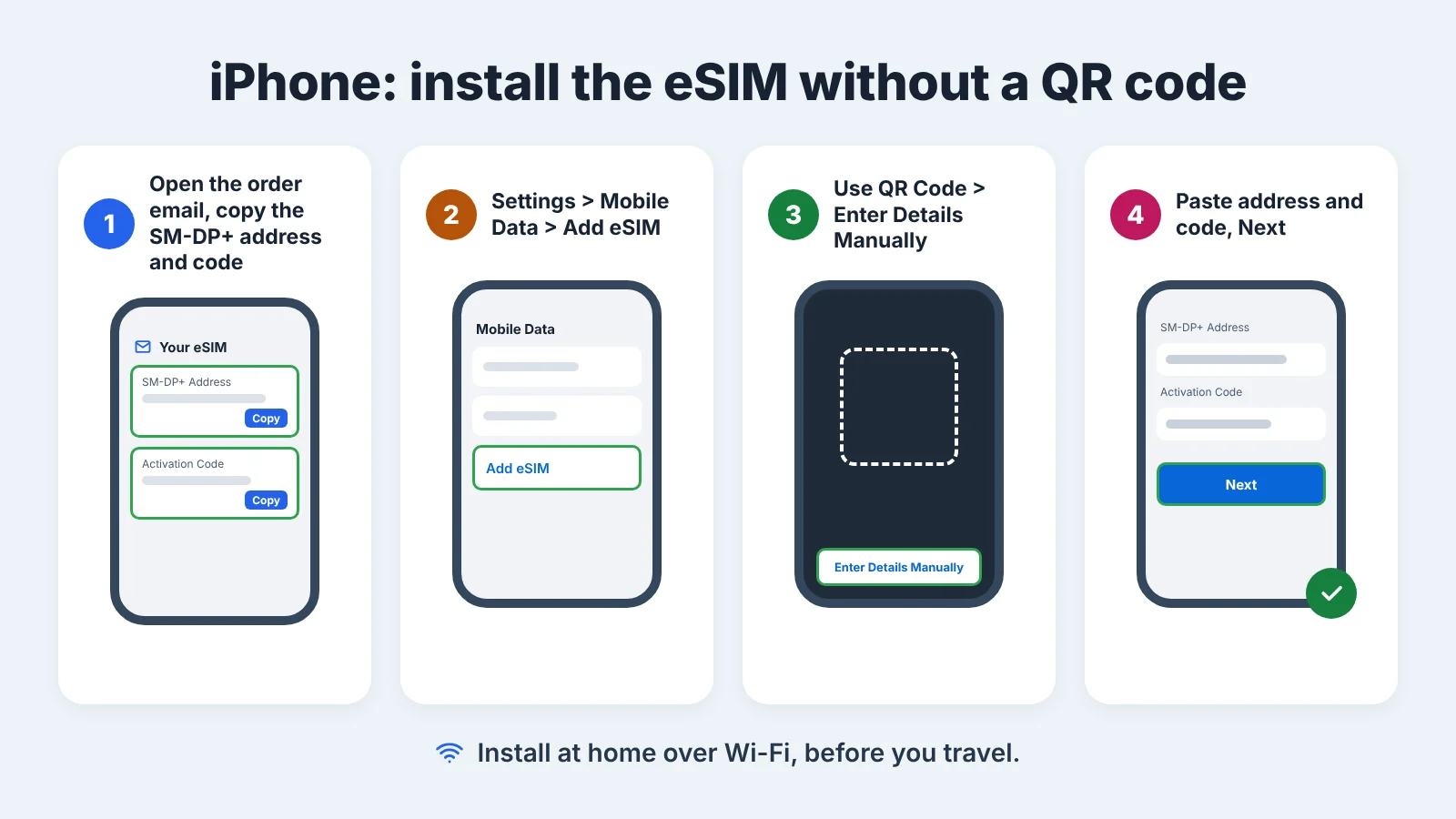
Android
Settings > Connections > SIM manager > Add eSIM > Enter activation code. On some models the menu is called SIM card manager.
CNo connection?
The eSIM only connects in your destination. At home it shows no network.
Go through the four steps in order. Step 1 or 2 usually solves it.
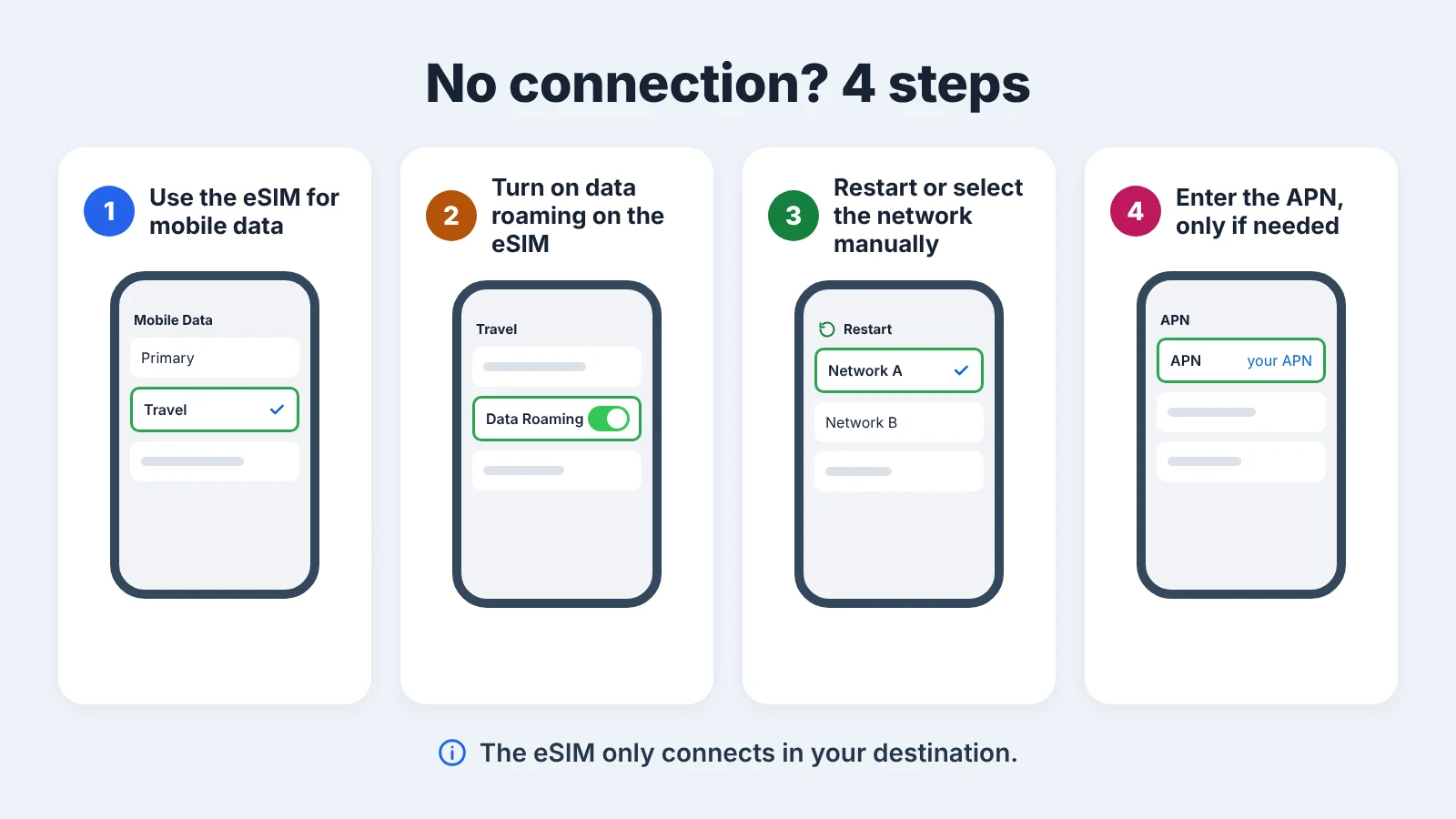
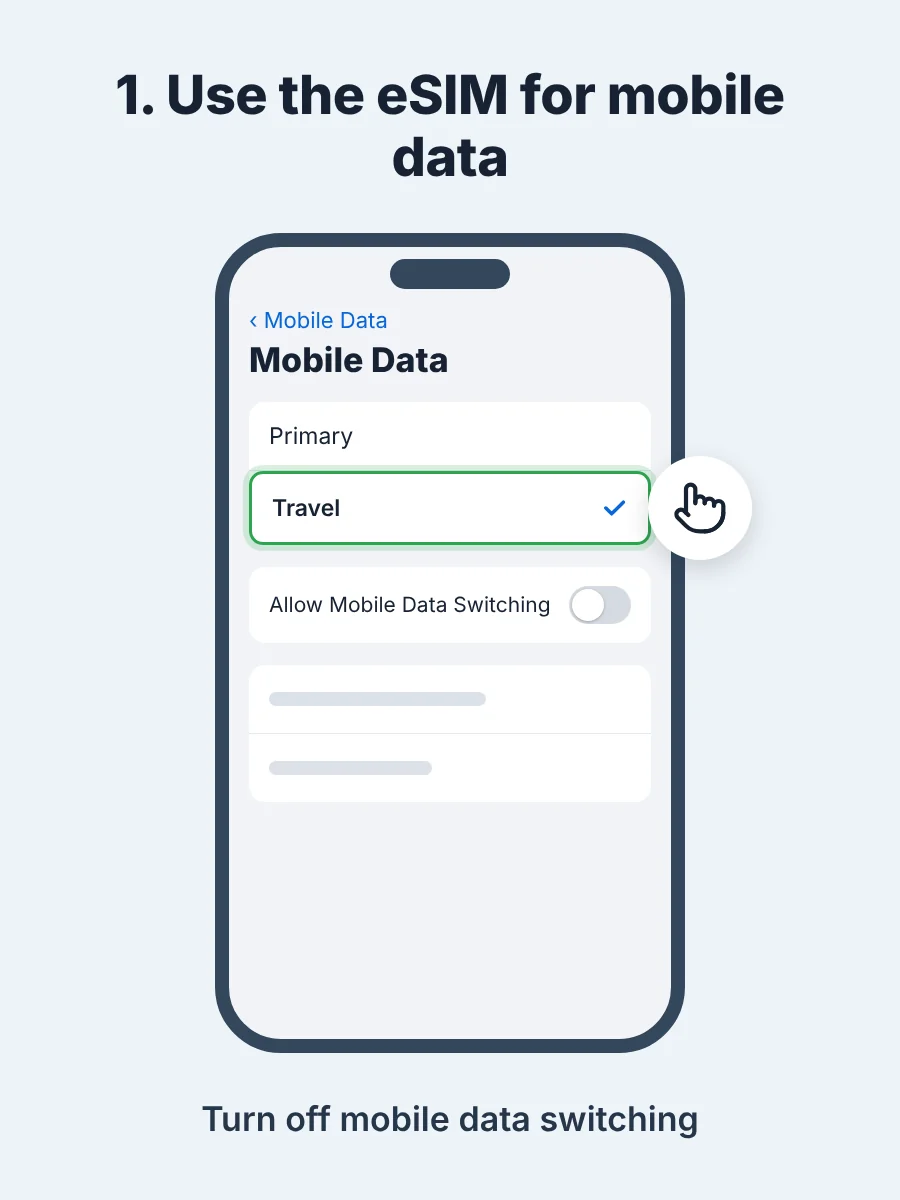
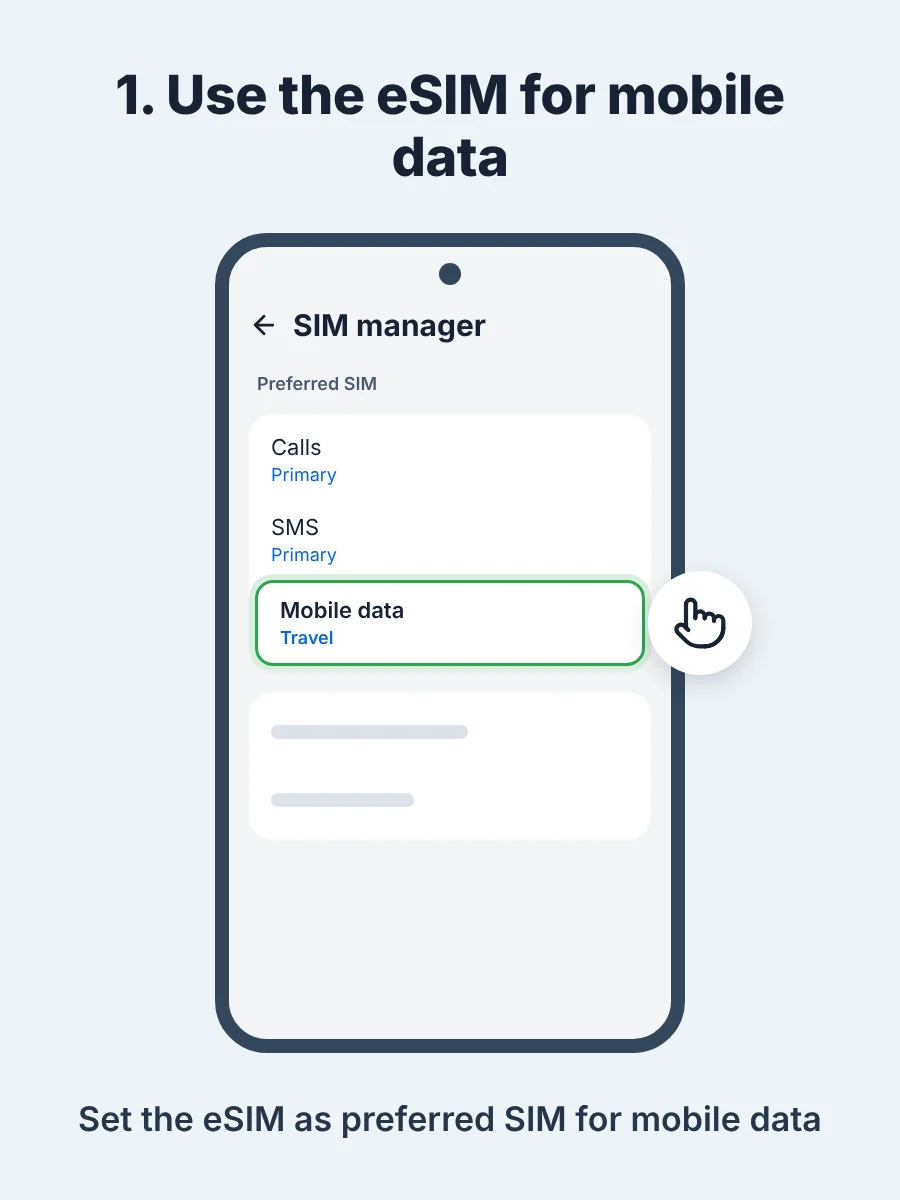
1. Use the eSIM for mobile data
2. Turn on data roaming on the eSIM
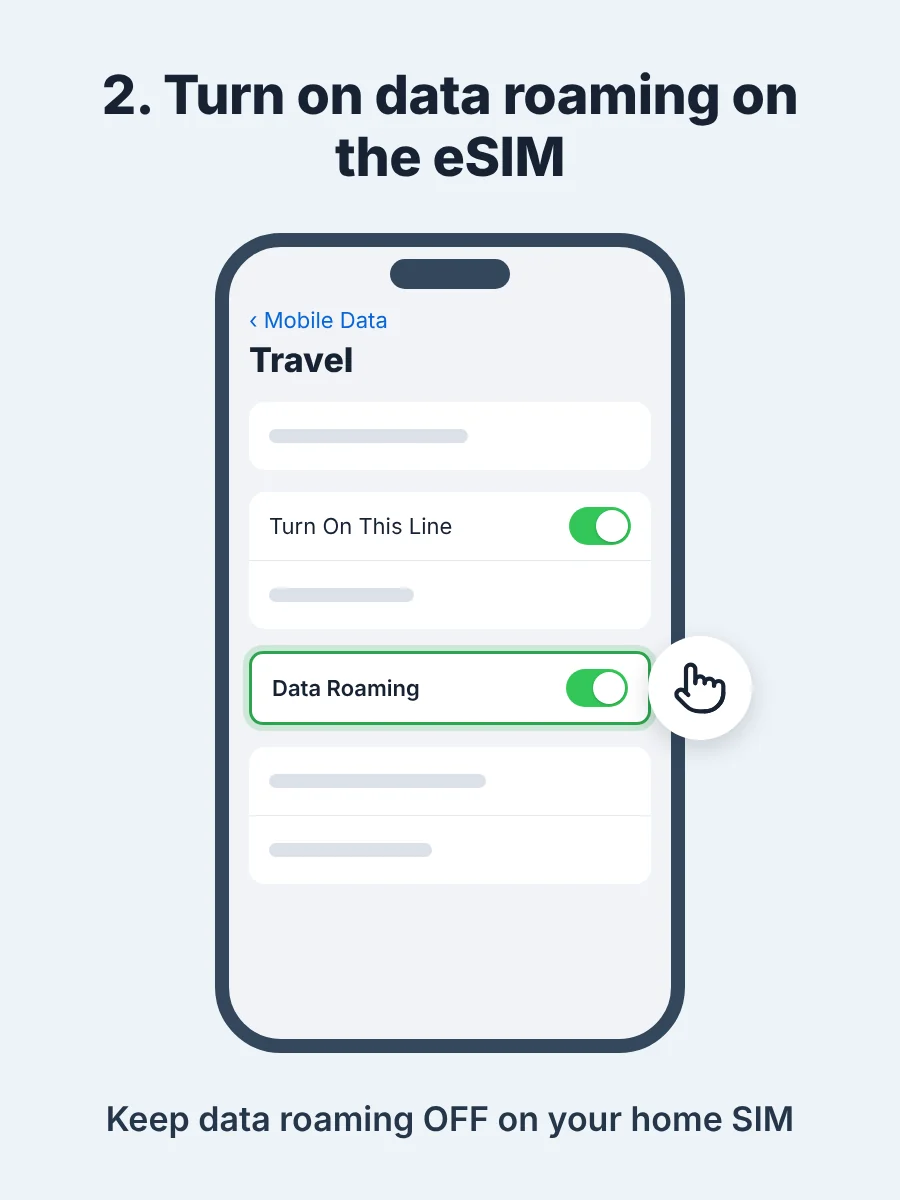
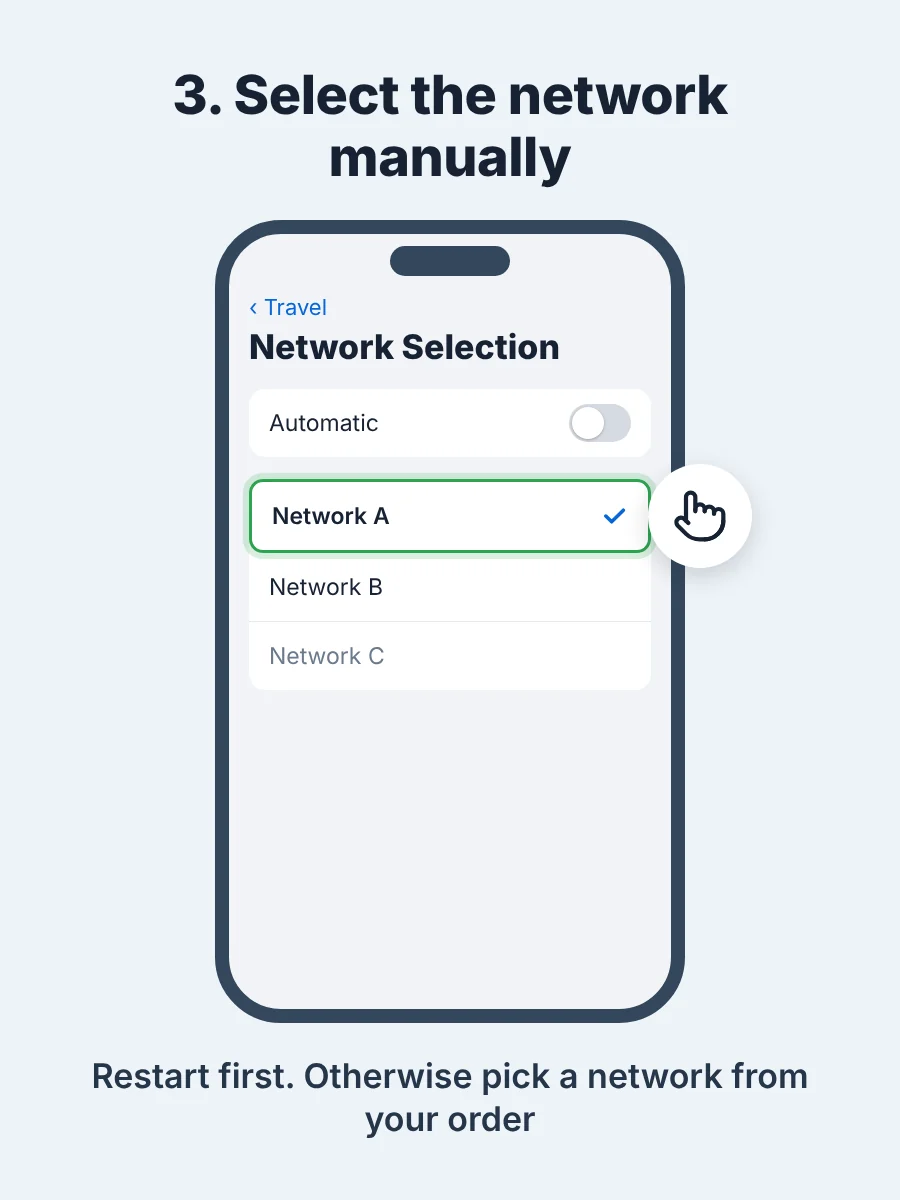
3. Restart or select the network manually
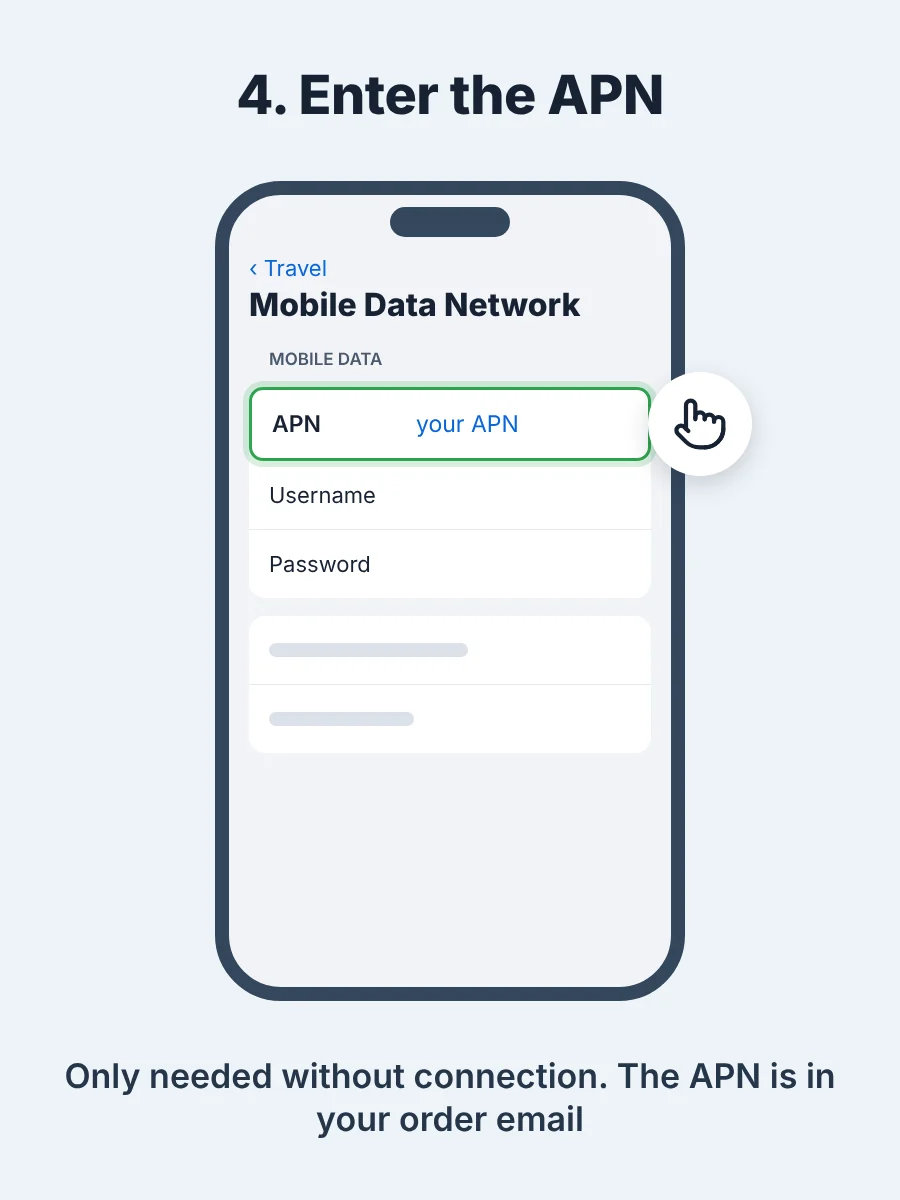
4. Enter the APN, only if needed
1. Use the eSIM for mobile data
2. Turn on data roaming on the eSIM
Settings > Connections > Mobile networks > Data roaming on. Select the eSIM. Keep data roaming off on your Swiss SIM.
3. Restart or select the network manually
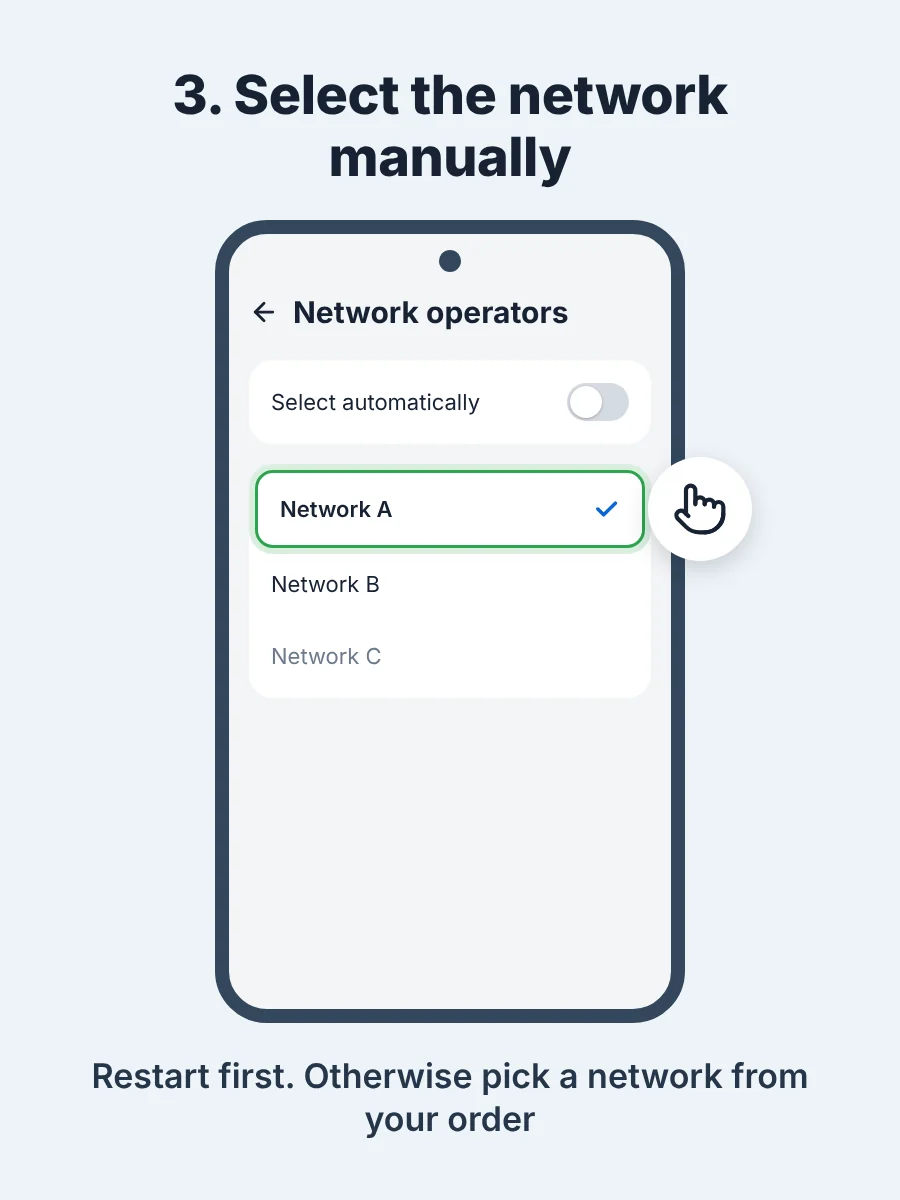
4. Enter the APN, only if needed
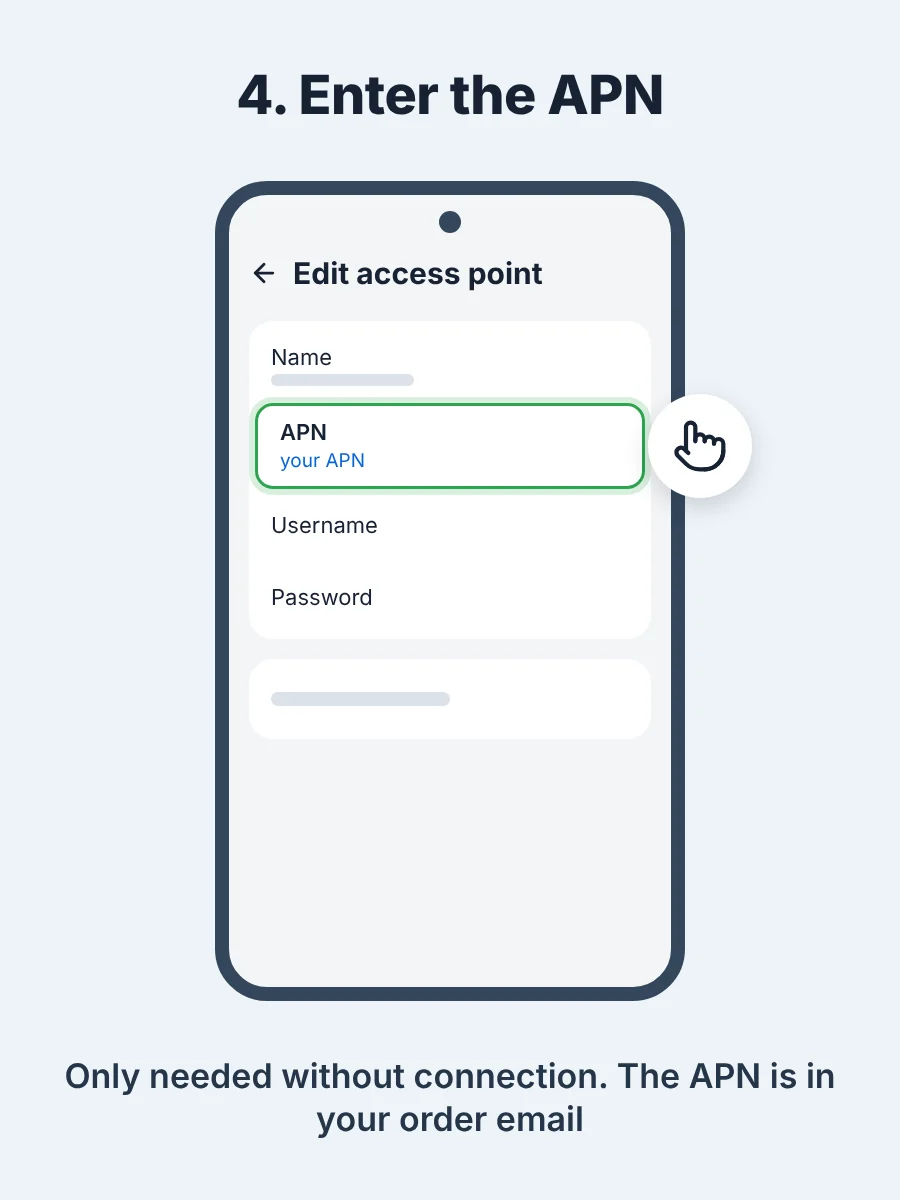
Networks and APN
The networks are listed in the product name. You only need an APN if there is still no connection after steps 1 to 3. You find it in your order email.
DQuick FAQ
Can people still reach me on my number, including WhatsApp?
Yes. WhatsApp stays linked to your usual number even when data runs over the eSIM. Your Swiss SIM stays active in the phone, so calls and texts still arrive. Whether a call abroad costs extra depends on your Swiss plan. Keep data roaming off on your Swiss SIM.
What if my data runs out?
There are no extra charges and you cannot go over your limit. If you need more data, buy a new package. That is always a new eSIM with its own QR code, not a top up. You can see how much is left under Check your balance.
What happens if I delete the eSIM?
A deleted eSIM often cannot be installed again. So only delete it after your trip.
How do I contact you?
Write to [email protected], ideally with your order number. We usually reply within 24 hours on working days.
eSIMProfi24 is a service of Ochsenbein electronics, Diemerswil, Switzerland.